Quote Links vs PDF Quotes: What Homeowners Approve Faster
Quote links vs PDF quotes for Christmas lighting: why homeowners approve links faster on a phone, and when a PDF is still right for HOAs and commercial.
On this page
For most residential Christmas lighting jobs, homeowners approve a quote link faster than a PDF, because a link opens instantly on a phone, shows the mockup first and puts the approve button one tap away. A PDF is still the better choice when the buyer has to print, file, forward to a board or run your quote through procurement. The practical answer is to send the link by default and keep a clean PDF ready for the buyers who need one.
Here's how the two formats compare, where each one wins, and how to set up a quote link so homeowners can say yes without calling you first.
How homeowners actually read your quote
Picture where your quote lands. It's a text on the homeowner's phone, read in a parking lot, on the couch or at their kid's practice. Whatever you send has to work there, in about a minute, with one thumb.
A PDF on a phone means tapping to download, pinching to zoom, scrolling sideways to read a table, and then figuring out how to reply. To approve, they usually have to print and sign, take a photo of a signature, or write back "ok let's do it" and hope that counts. Each step is a chance to set it aside for later, and later is where quotes go to die.
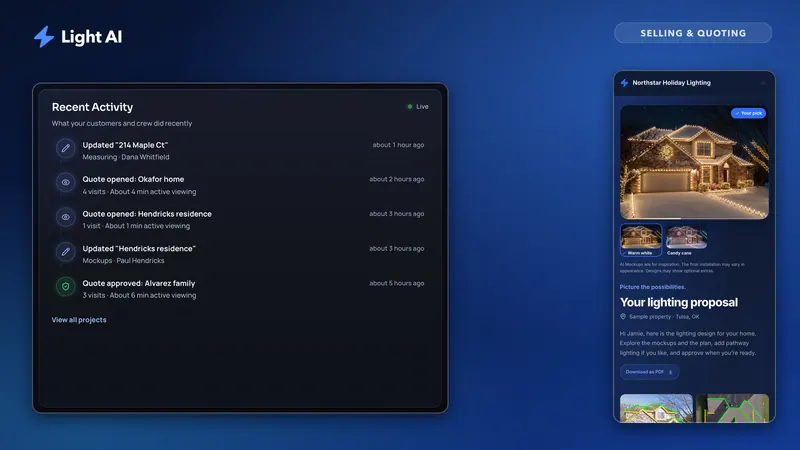
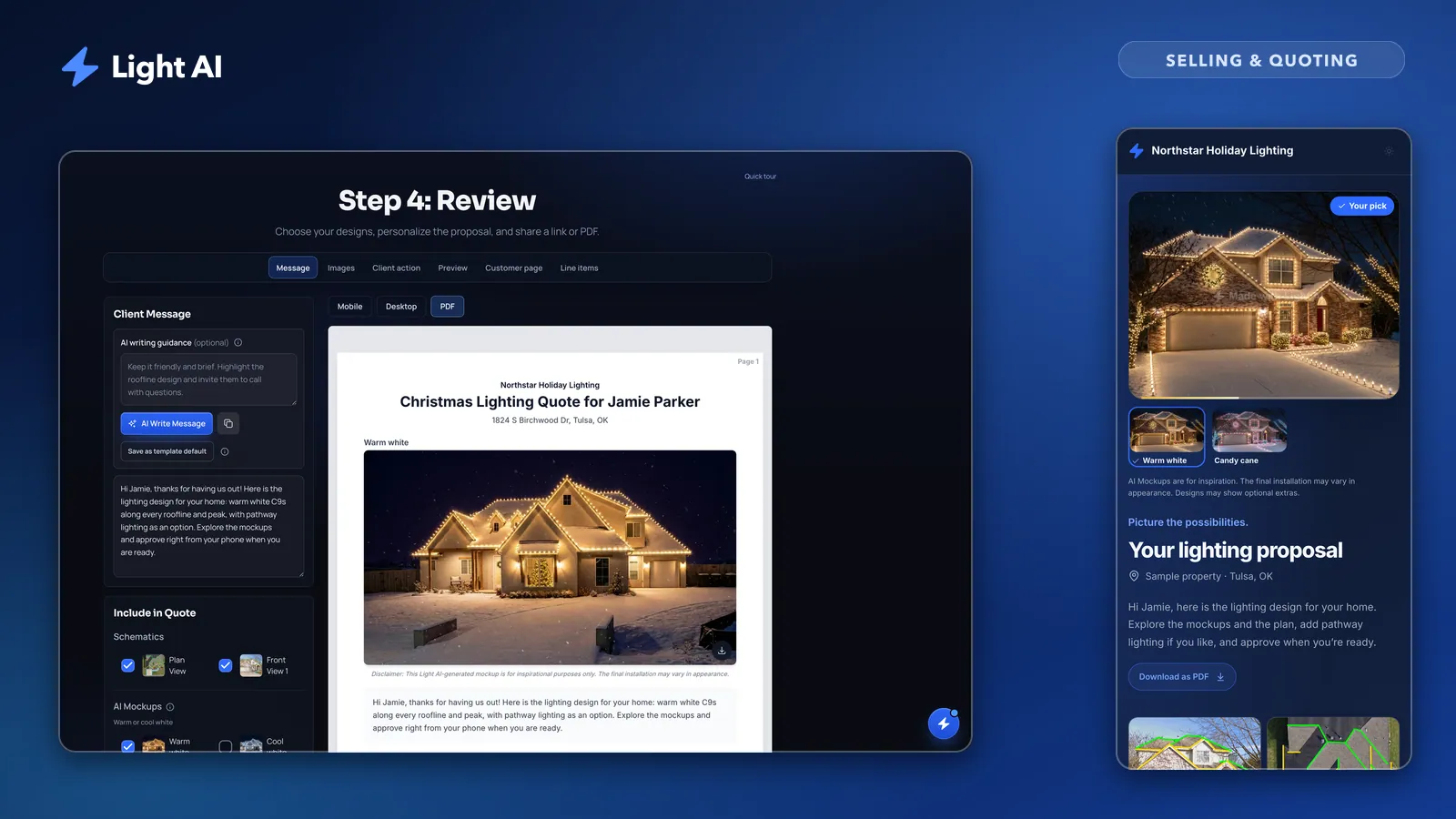
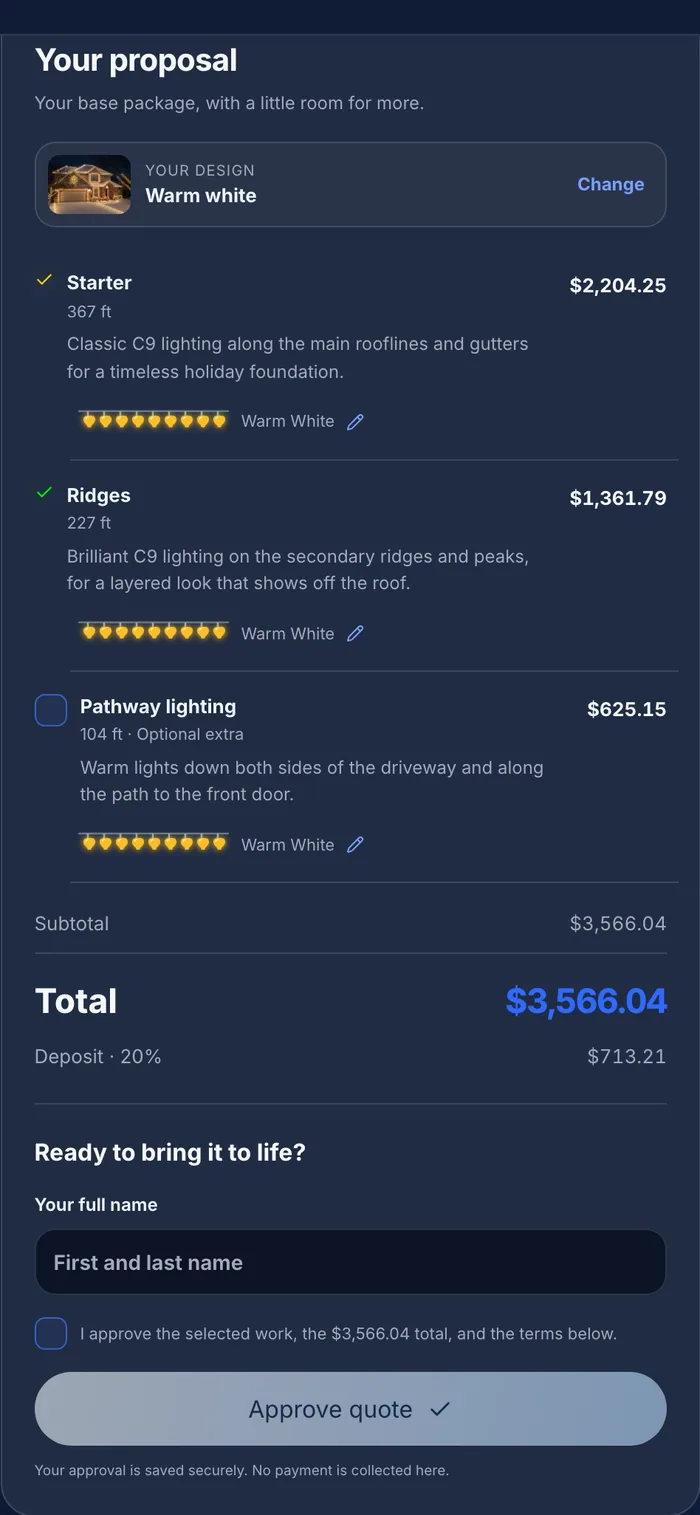
A quote link opens like a web page. The design is at the top, the price is clear, and there's a button at the bottom. If the homeowner likes what they see, the path to yes is short.
Quote link vs PDF: side by side
Neither format is wrong. They solve different problems. Here's a fair comparison for a residential lighting quote.
| Factor | Quote link | PDF quote |
|---|---|---|
| Opening on a phone | Opens like a web page, no download | Download, then pinch and zoom |
| Showing the mockup | Large, first thing they see | Fixed size on the page |
| Approving | Tap approve and type a name | Print, sign, scan or reply by email |
| Choosing options | Can toggle add-ons or colours, total updates | Options listed, homeowner has to tell you |
| Updating after a change | Same link shows the new version | New file, risk of two versions floating around |
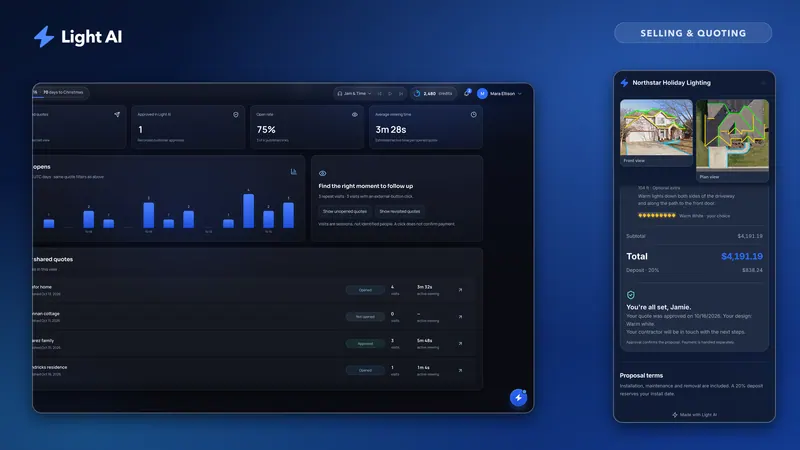
| Knowing it was opened | Possible with open tracking | No way to know |
| Printing and filing | Not designed for paper | Prints cleanly, easy to file |
| Forwarding to a board or buyer | Works if they accept links | Expected format for many organizations |
| Working offline or archived | Needs a connection | Works anywhere, forever |
The pattern is clear. Links win on speed and interaction. PDFs win on paper, permanence and formality.
Why quote links tend to get approved faster
Approval speed comes down to how many steps stand between "I like this" and "yes." A good quote link removes most of them.
- No download, no app, no account. The homeowner taps and the quote is there.
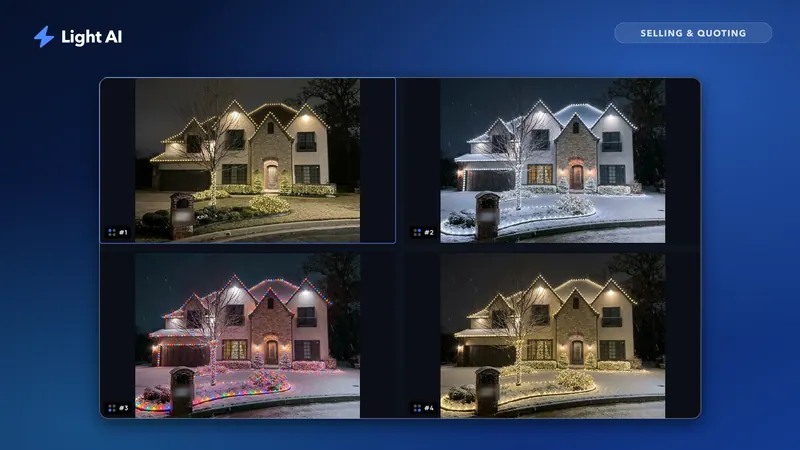
- The mockup leads. People decide on the picture first and the price second. A link can put the design front and center.
- Approval is part of the page. There's nothing to print or scan. They choose, type their name and they're done.
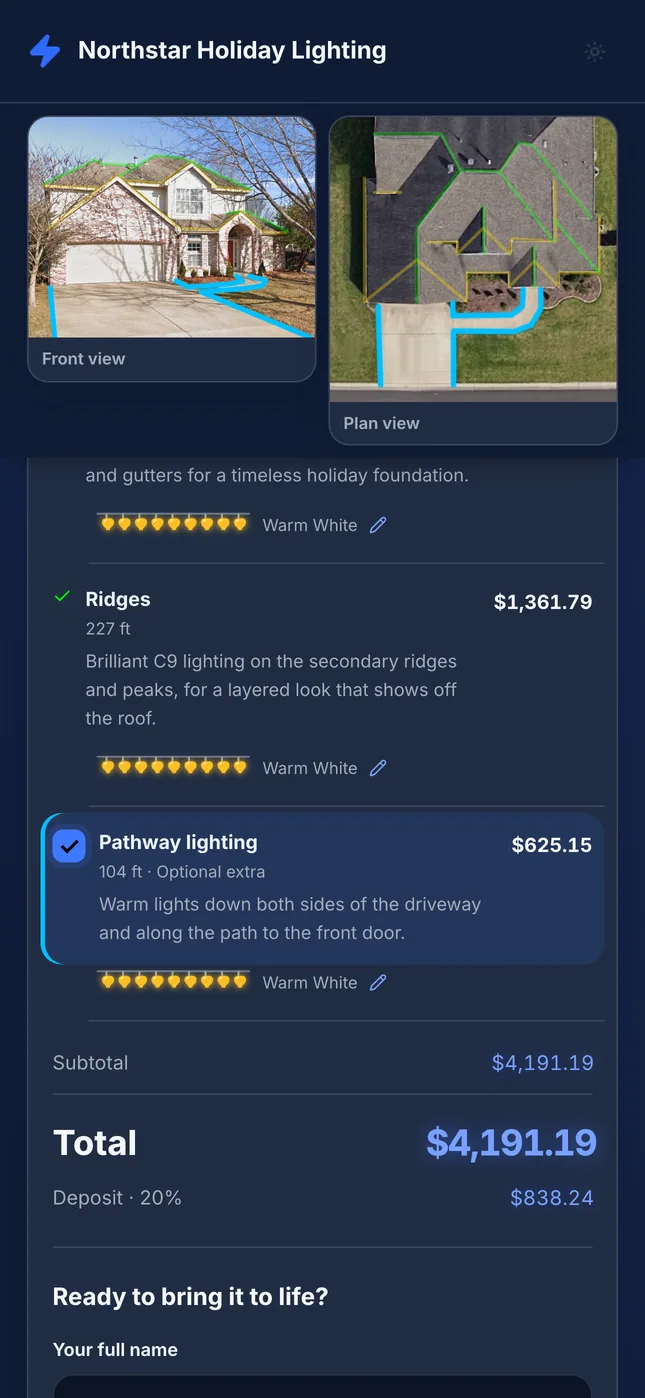
- Options don't require a phone call. If they can tick the optional wreath or switch to multicolor and see the total change, they don't have to email you to ask "how much with the trees?"
- It's easy to share. "Look at this" plus a link gets a spouse's opinion in seconds.
- You stay current. Change a line after a conversation, publish the update, and the same link shows the new version. No "which PDF is the right one?"
None of this guarantees a yes. A link just stops the format from being the reason someone delays. To see whether it's working for you, measure your own close rate and time to approval before and after the change. The close rate post explains how to track both.
When a PDF is still the right choice
There are real buyers for whom a PDF is the professional answer. Don't fight them on it.
HOAs and architectural review boards
Many HOAs want a document they can attach to an application, print for a meeting or file with the property record. Send the PDF with the mockup and scope, and keep the link for the homeowner's own approval.
Commercial and property management buyers
Office parks, retail centers, churches and apartment communities often route quotes to someone who isn't the person you met. A PDF fits their email chains and filing systems, and it reads as a formal document.
Procurement and purchase orders
If a buyer needs a vendor quote attached to a purchase request, they need a file. A link that can change or expire doesn't work as a procurement record.
Customers who print
Some homeowners simply like paper. If someone asks for a printed copy, give them one without making it a thing.
Your own records
Even when the homeowner approves through a link, saving a PDF of what was approved gives you a fixed snapshot of the scope and price for your files.
Making your quote link work harder
A link is only as good as what's on it. The best quote maker for Christmas light contractors is one that makes the homeowner's path to yes as short as possible, so set it up with that in mind:
- Lead with your recommended mockup. The first image is the cover. Make it the design you'd actually install.
- Keep the message short and human. Two or three sentences in your own voice. Mention something specific about their house.
- Price clearly. Group line items by feature (roofline, ridges, ground) instead of listing every run, so the homeowner isn't reading a spreadsheet.
- Offer optional extras, not a second quote. Let them add the trees or the wreath themselves.
- Choose the right approval mode. Approve inside the quote, send them to your own booking or CRM, or make it view only if you close in person.
- Add your own next step. If you take deposits, link your own payment or booking page as the client action button.
- Set an expiration if your schedule fills. A real install-calendar deadline is honest urgency; a fake countdown isn't.
In Light AI, the quote link opens on any phone with no account, and you choose the approval mode: Approve in Light AI, approve with Jobber or another service, or view only. With Approve in Light AI, homeowners can pick optional extras and adjust bulb colours, and an approval moves the project to Approved. Light AI never collects payments or deposits; if you take one, link your own payment page as the client action. See publishing a quote link for the details.
How to send each one
Most of the time, the link goes by text and the PDF goes by email. Here's a simple routing guide.
| Buyer | Send first | Also send |
|---|---|---|
| Homeowner, single decision-maker | Link by text | Nothing else needed |
| Homeowner with a spouse to convince | Link by text | Nothing, the link is shareable |
| Homeowner in an HOA | Link to homeowner | PDF for the HOA application |
| Property manager | PDF by email | Link for faster sign-off |
| Commercial or church buyer | PDF by email | Link if they're open to it |
| Customer who asked for paper | Printed PDF | Link for approval |
Light AI doesn't send text messages, so you copy the published link and text it from your own phone. That's usually better anyway: the homeowner sees your name and number, not a short code. You can also email the quote from Light AI with a picture of the design that opens it (on Pro, from your own verified domain), and export a PDF from Review with Export PDF, which also saves a copy under the project. As a quote maker for Christmas light contractors, it's built so the same quote works as both a link and a PDF without retyping anything.
Before you send: a quote format checklist
- Recommended mockup is first and matches the line items
- Client message is short, specific to the house and has no surprises
- Line items grouped so the homeowner can read them on a phone
- Optional extras set up as add-ons, not separate quotes
- Approval mode chosen (approve in the quote, your own service, or view only)
- Your payment or booking link added if you take deposits
- Previewed on mobile before publishing
- PDF exported for HOAs, commercial buyers or anyone who asked for one
- Link texted from your own phone with a one-line personal note
Frequently asked questions
Do homeowners trust a quote link as much as a PDF?
Most do, especially when it shows your company name, logo and a mockup of their own house. If someone prefers a document, send a PDF too; it costs you nothing.
Can a homeowner approve a quote link without creating an account?
Yes. A good quote link opens on any phone or computer with no login. In Light AI, with Approve in Light AI turned on, the homeowner approves by typing their name.
What happens if I change the quote after sending the link?
With Light AI, your draft edits stay private until you click Publish update, which refreshes the same link. The homeowner always sees the latest version without a new file.
Should I still send a PDF to HOAs?
Usually, yes. HOAs and review boards often want a file they can attach, print or archive. Send the PDF for the paperwork and the link to the homeowner for approval.
Does a quote link collect the deposit?
Light AI never collects payments or deposits. You can add your own payment or booking link as the button on the quote, so the homeowner goes straight to your checkout after approving.
Quote your next house with Light AI
Measure the roofline, show the homeowner a lighting mockup of their own home and send one quote link they can approve from their phone. Start on the Free plan with 100 credits each month and no card required.