How to Get More Christmas Lighting Leads: Website Request Forms, Yard-Sign QR Codes and Google
Where Christmas lighting leads really come from: website request forms, yard-sign QR codes, Google Business Profile, local pages, referrals and renewals.
On this page
The most reliable Christmas lighting leads come from six places: a request form on your website, QR codes on yard signs and door hangers, your Google Business Profile, local service pages, referrals, and renewals from last year's customers. The contractors who grow are not the ones with the most channels; they are the ones who know which channel each lead came from and put next season's money behind the winners.
This guide covers how to set up each source, what it costs you, and how to track it so you are not guessing in January.
Start with the place every lead should land
Before you add channels, decide where leads go. If website leads arrive by email, Facebook leads arrive by Messenger and yard-sign leads call your cell, you will lose some in the November rush and you will never know which source worked.
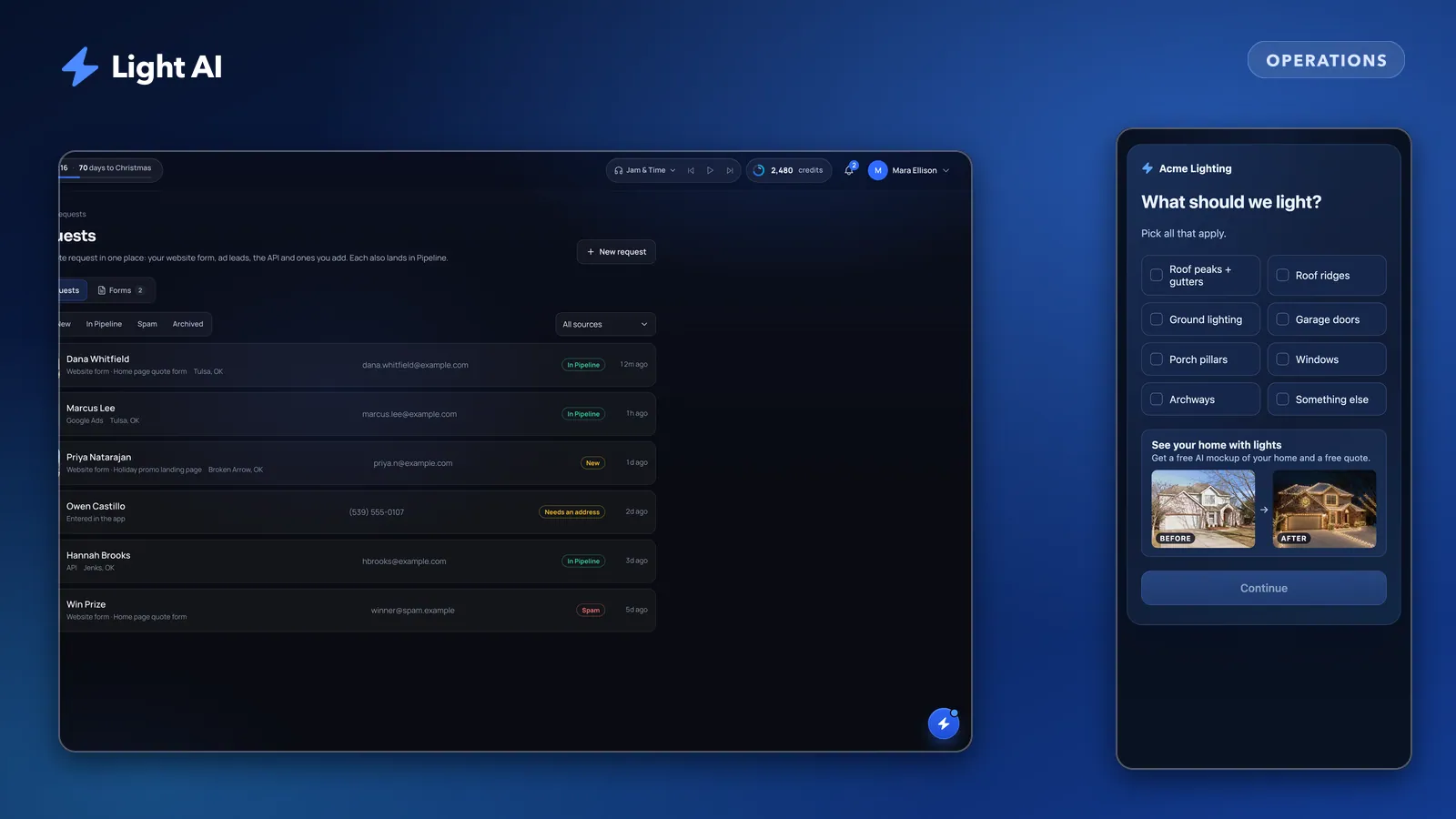
Pick one inbox. Every lead, no matter where it came from, should end up in the same list with a name, address, phone, and a source. In Light AI that is the Requests inbox: website forms, leads sent in through the API, and requests you type in yourself all land in one list, and each one also appears in the Pipeline in the Request stage.
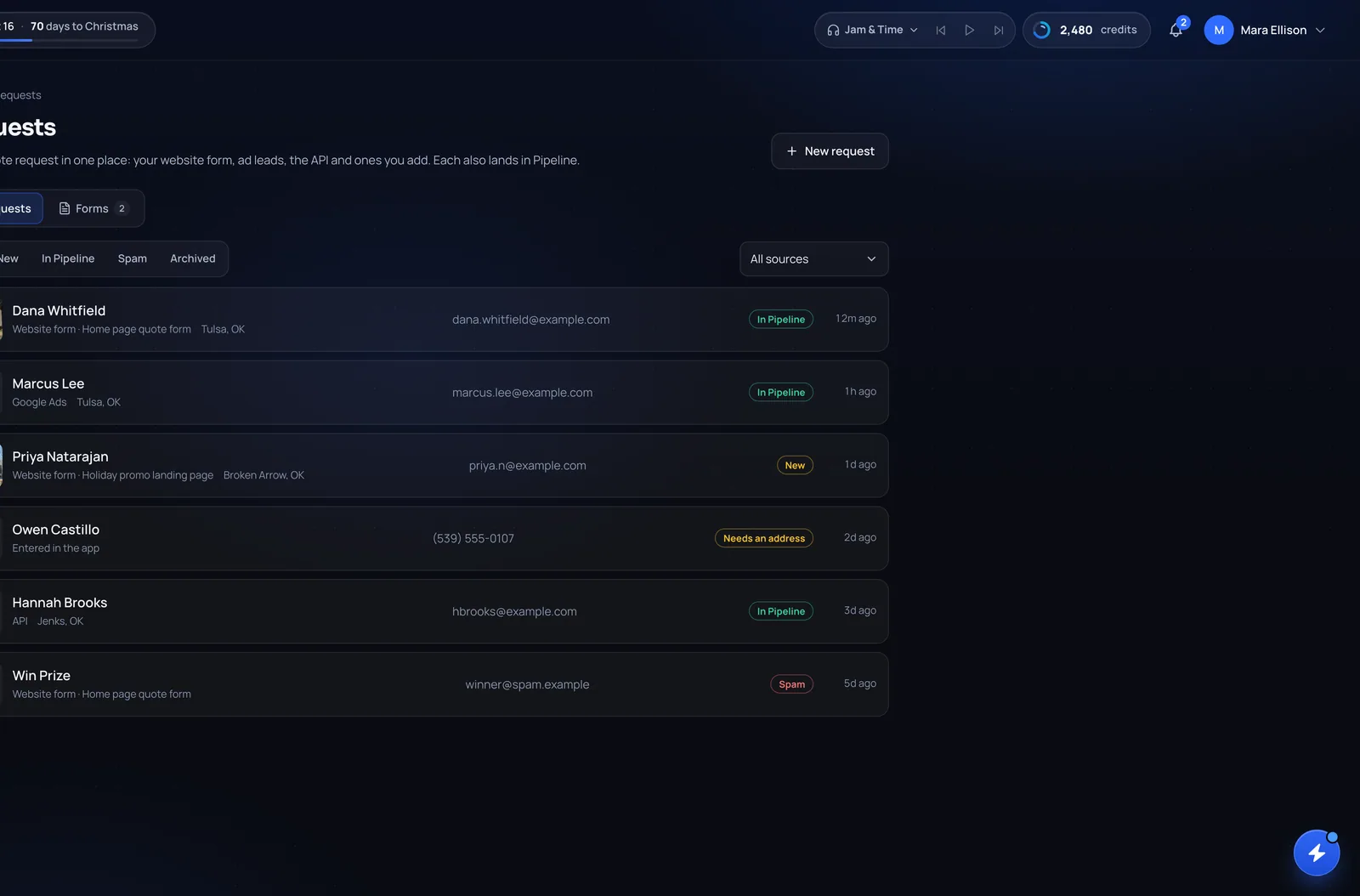
Whatever tool you use, the rule is the same: a lead without a recorded source is a lead you cannot learn from.
The six lead sources compared
| Source | Best for | Typical timing | How to track it |
|---|---|---|---|
| Website request form | Visitors already looking for you | August to early December | Name the form for the page it lives on |
| Yard-sign and door-hanger QR codes | Neighbors of homes you light | From install day through December | Separate form (or link) per sign batch |
| Google Business Profile | "Christmas light installers near me" searches | Starts as early as late summer | Link your website button to a tracked page or form |
| Local service pages | Searches by city or neighborhood | Needs to be live before the season | One form or tracked link per page |
| Referrals | Friends of happy customers | Install week and after | Ask "how did you hear about us" and log it |
| Past-customer renewals | Repeat installs | Late summer early-bird window | Tag as renewal when you create the project |
The timing column is a planning guide, not data. Your market and weather will shift it.
Website request forms that actually convert
Your website gets traffic from Google, from your truck wraps and from people checking you out after a referral. A phone number and a generic contact form leave that interest on the table. A request form built for lighting asks the questions you need to quote: what to light, what color, any trees or bushes, and a photo of the front of the home.
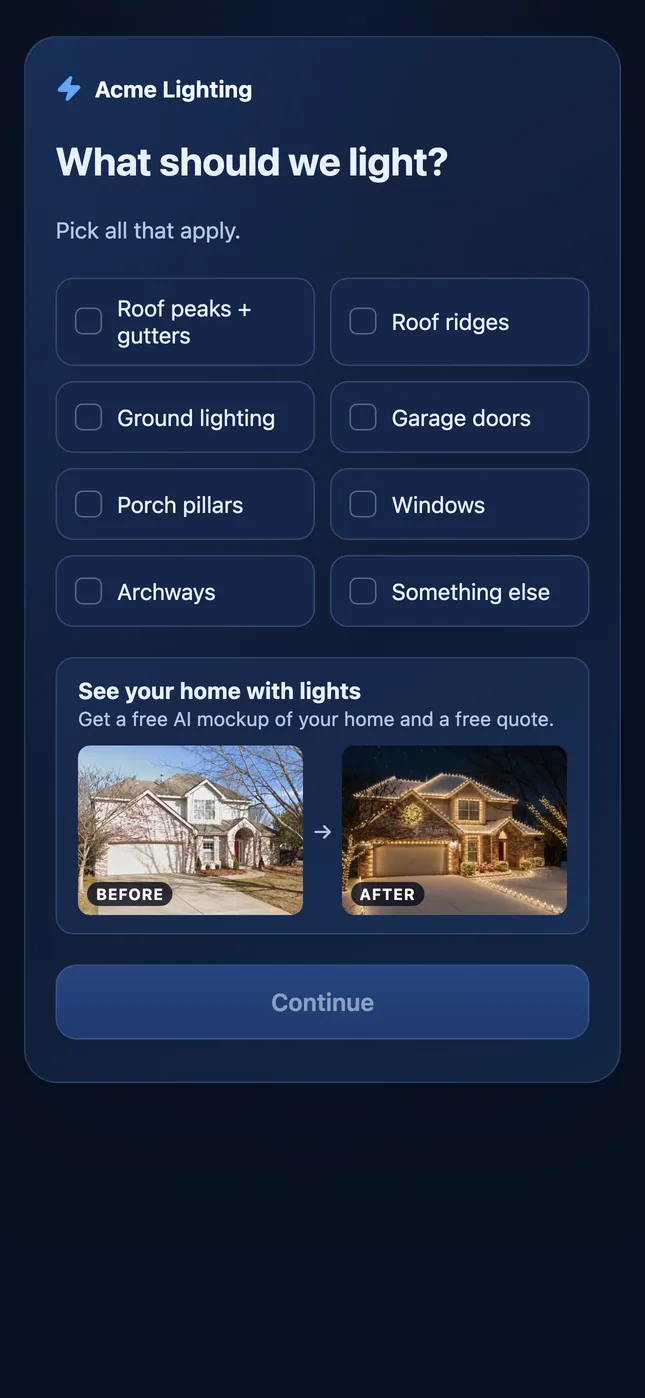
What makes a lighting request form work:
- Ask for a photo. A front photo lets you start a quote before you ever drive out.
- Keep the questions short and tap-friendly. Most homeowners fill this out on a phone.
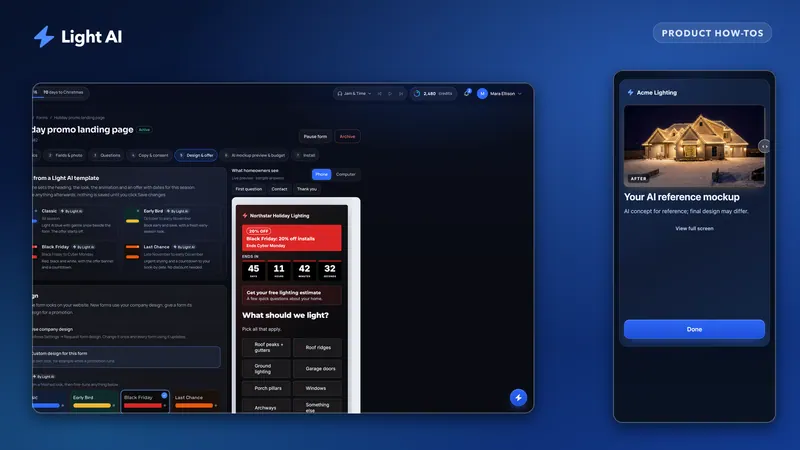
- Give them something back. In Light AI, a form can show the homeowner an instant AI mockup of their own home with lights, which gives them a reason to finish. Adding AI mockups to your website request form covers how to set that up and budget for it.
- Put the form on its own page and on your home page. Do not bury it behind a "Contact" link.
Website request forms in Light AI are a Pro feature (Enterprise too). You can embed them with a script or an iframe, and every submission lands in Requests and the Pipeline. See request forms in the help center for the setup steps and Pricing for plan details.
Yard signs, door hangers and QR codes
The best advertising you have is a house you just lit. Neighbors see it every night for six weeks. A yard sign with a QR code turns that attention into a request instead of a vague "who did your lights?"
How to do it well:
- Ask the homeowner first. Many will say yes, especially if you offer a small thank-you. Never place a sign without permission.
- Give the QR code one job. "Scan to see your home with lights" or "Scan for a free quote" beats a code that opens your home page.
- Size it for the distance. A common rule of thumb is that a QR code should be about a tenth of the scanning distance wide. People scan yard signs from the sidewalk, not the street, so make the code big and place the sign near the walk.
- Use the print file. In Light AI, the Share your form option gives you a link and a QR code; download the SVG for print and the PNG for posts and texts.
- Test it. Scan the printed proof with two different phones before you order a stack.
Door hangers follow the same logic. Hang them on the streets around homes you have installed, while those homes are lit, so the hanger points at proof the neighbor can see from their porch.
Tracking yard signs separately
If your yard-sign QR code and your website form feed the same form, you cannot tell them apart. Create a separate form for signs and hangers, named so you know where it lives (for example "Yard signs 2026"). In Light AI, a website request shows the form's name next to its source, so you can count sign leads in the Requests inbox without a spreadsheet.
Google Business Profile and local pages
When homeowners search for Christmas light installers, the map results often show up before regular websites. Your Google Business Profile is free and it is worth an afternoon.
- Pick the most specific category Google offers for what you do, and list holiday lighting installation as a service with a plain description.
- Set your service area to the towns you will actually drive to.
- Post real photos of your installs, at night, with the street name blurred or left out if the homeowner prefers.
- Ask for reviews right after install, when the homeowner is happiest. Send the review link by text the evening the lights go on.
- Send the website button to your request form page, not your home page. If you use web analytics, add UTM tags to that link so Google traffic shows up as its own source.
Local pages are the website side of the same idea: a page for each main town or area you serve, with photos of real installs there and a request form on the page. Write them for people, not for search engines. A page that says the same thing as five others with the town name swapped will not help you.
Referrals and past-customer renewals
Referrals and renewals cost the least and close the easiest, and they are the sources most contractors track the worst.
Referrals: make it easy. Leave a card at install with a simple offer for the customer and the friend they send. Ask every new lead "how did you hear about us?" and record the answer in the lead itself, not in your memory.
Renewals: your past customers are your first sales of the next season. Reach out in late summer with an early-bird offer before they start shopping. Light AI's request form templates include an Early Bird design if you want to send past customers to a form with that offer. When they come back, create the new project under the same client and property so you can see their history.
If you plan to stay visible between seasons, Plus and Pro accounts can switch to Off-Season, which keeps your storefront open: request forms keep taking requests, and the first requests each month still get AI mockups. The Off-Season help article has the details.
A simple lead tracking routine
You do not need a marketing department. You need a habit.
- Every lead lands in one inbox, with a source recorded
- Separate forms or tracked links for website, signs, hangers and each local page
- "How did you hear about us?" asked and logged for calls and referrals
- Weekly in season: count leads, quotes sent and approvals by source
- Note what each source cost (sign printing, hangers, ad spend, your time)
- In January: rank sources by approved jobs per dollar spent
- Before next August: cut the bottom source, double down on the top one
The weekly count is the important part. Leads are nice; approved jobs pay the bills. A source that brings in plenty of requests but few approvals may be sending you the wrong customers, while a quiet source with a high approval rate deserves more budget. For the approval side, see what a good close rate looks like and how to measure yours.
Frequently asked questions
What is the best way to get Christmas lighting leads?
For most contractors, the strongest sources are a request form on their website, yard signs at installed homes, a well-kept Google Business Profile, and past-customer renewals. Track each source separately so you know which ones turn into approved jobs in your market.
How do I track which leads came from yard signs?
Give yard signs and door hangers their own form or link and QR code, separate from your website form. In Light AI, each website request shows which form it came from, so sign leads are easy to count.
Do I need a website to use a request form?
Not strictly. In Light AI you can turn on Share your form to get a link and QR code that open the form on its own page, which you can text, post or print. A website still helps with Google searches.
Which Light AI plan includes website request forms?
Website request forms are included on Pro and Enterprise. Free and Plus can't create forms; see the Pricing page for plan details.
When should I start marketing for Christmas lights?
Start renewals and Google profile updates in late summer, have forms and local pages live before fall, and put signs out as soon as your first installs are lit. Adjust to when requests start arriving in your own market.
Quote your next house with Light AI
Measure the roofline, show the homeowner a lighting mockup of their own home and send one quote link they can approve from their phone. Start on the Free plan with 100 credits each month and no card required.